
Simulations
Bake your physics before a TimeShift render: a baked cache interpolates smoothly between frames, while an unbaked one jumps from whole frame to whole frame.
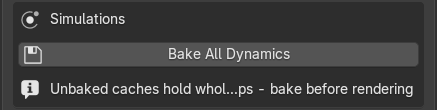
Bake All Dynamics (Simulations box) bakes rigid body, cloth, soft body, particles, hair dynamics and dynamic paint in one click. It needs an open 3D Viewport. Hair-dynamics caches are baked one by one, because Blender’s own Bake All skips them. When you start a render, TimeShift also warns you if the scene contains simulations.
| Motion | At sub-frames | Bake needed |
|---|---|---|
| Keyframes, NLA, drivers | Exact: evaluated at the true sub-frame | No |
| Procedural Geometry Nodes, shader and texture animation | Exact, when driven by the frame | No |
| Rigid body, cloth, soft body, particles, dynamic paint | Interpolated from the baked cache | Yes |
| Hair dynamics | Interpolated from the baked cache | Yes; Bake All Dynamics covers it |
| Mantaflow liquid, smoke and fire | Holds whole frames, so it steps | Baking does not help |
| Imported OpenVDB volume sequences | Holds whole frames | Not applicable |
Two habits keep caches clean: make sure each cache’s frame range covers your whole render range, and bake again after you change a simulation.