Overview
TimeShift renders true sub-frame slow motion in Blender without rescaling your timeline. Instead of stretching keyframes, it renders the in-between times Blender normally skips, such as frame 24.25, 24.5 and 24.75, and writes them out as one continuous image sequence.
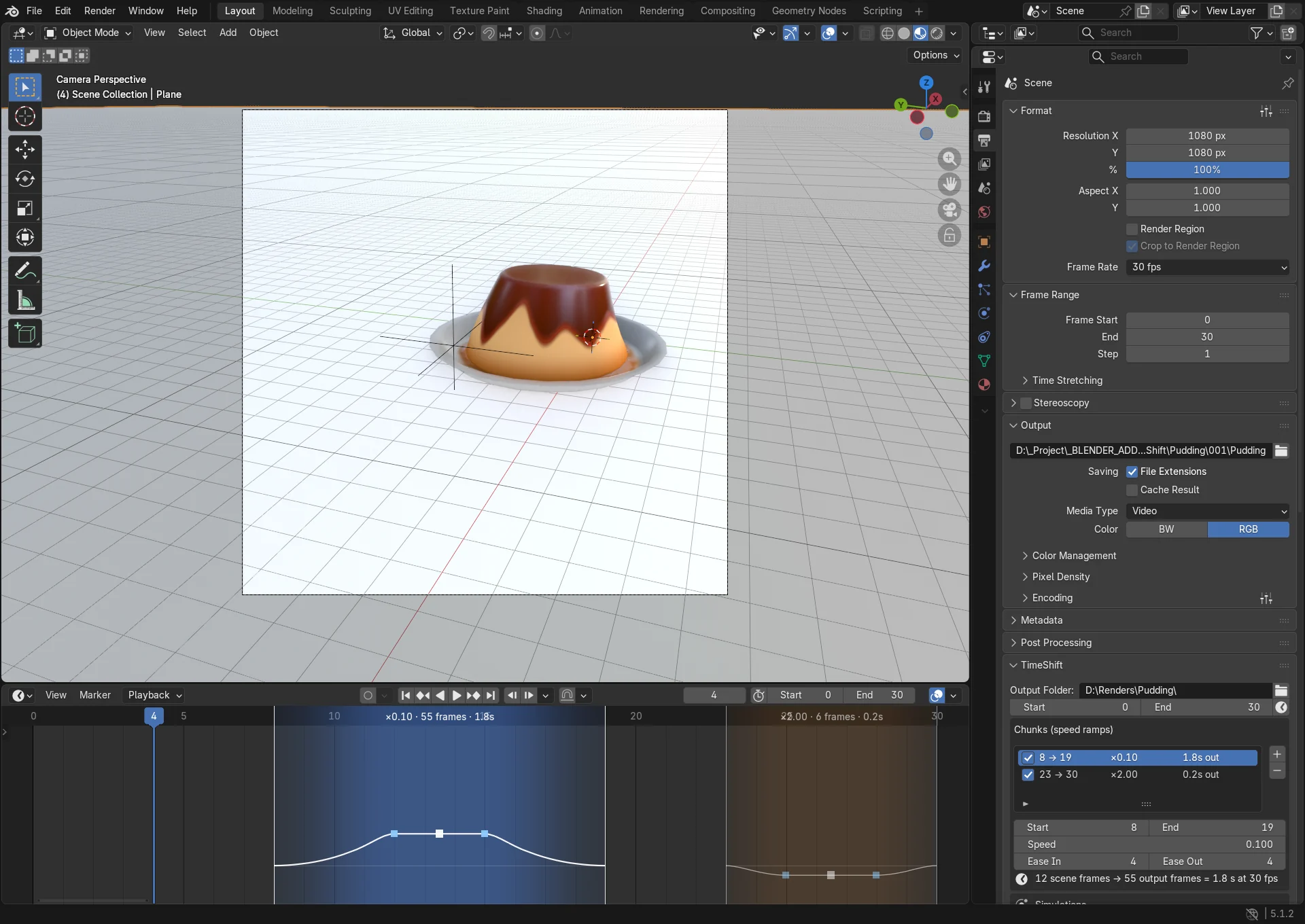
- You mark one or more chunks of the timeline and give each a speed. A speed of 0.25 renders four output frames per scene frame (4x slow motion); 2.0 renders every other frame (2x fast forward).
- Your keyframes, NLA strips, drivers, camera markers and simulation caches are never moved or edited.
- When a render finishes or is cancelled, TimeShift restores every render setting it changed.
Sub-frame motion is exact for anything Blender evaluates as a function of time: keyframes, drivers, Geometry Nodes and shaders. Physics caches (rigid body, cloth, soft body, particles, hair, dynamic paint) are interpolated from their bake, so bake them first. Mantaflow fluid, smoke and fire hold whole frames.